What the software does
Over-the-counter selling
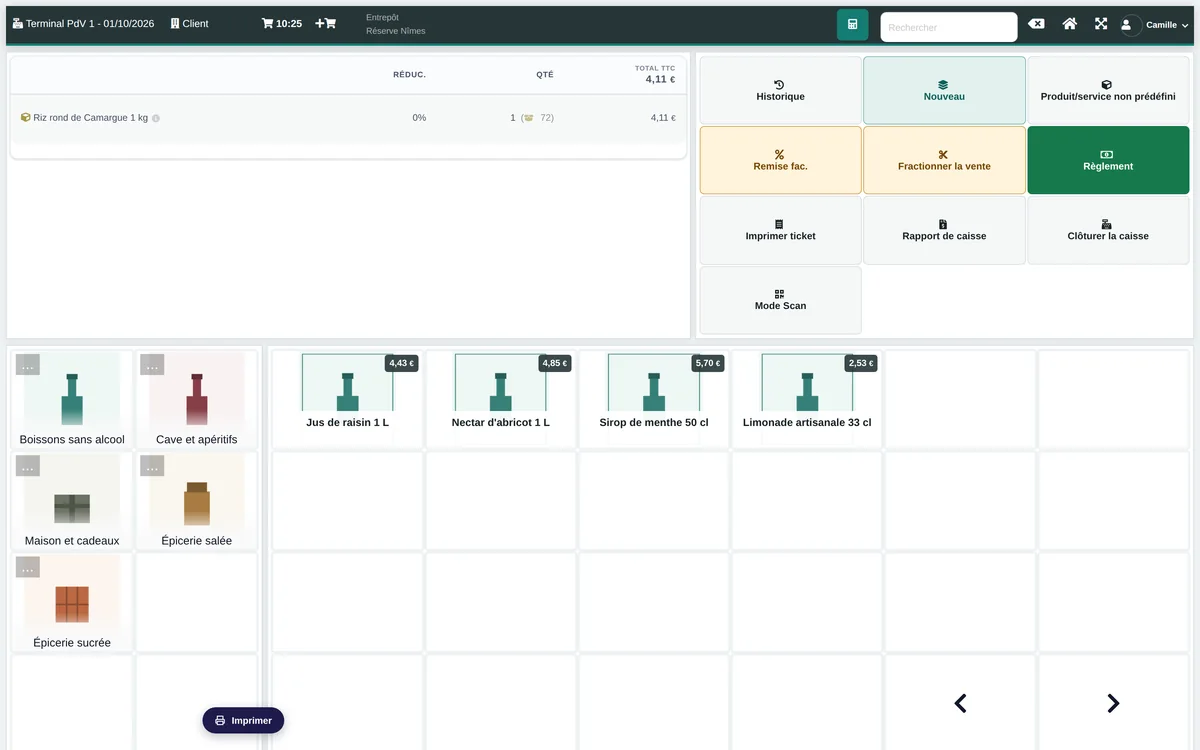
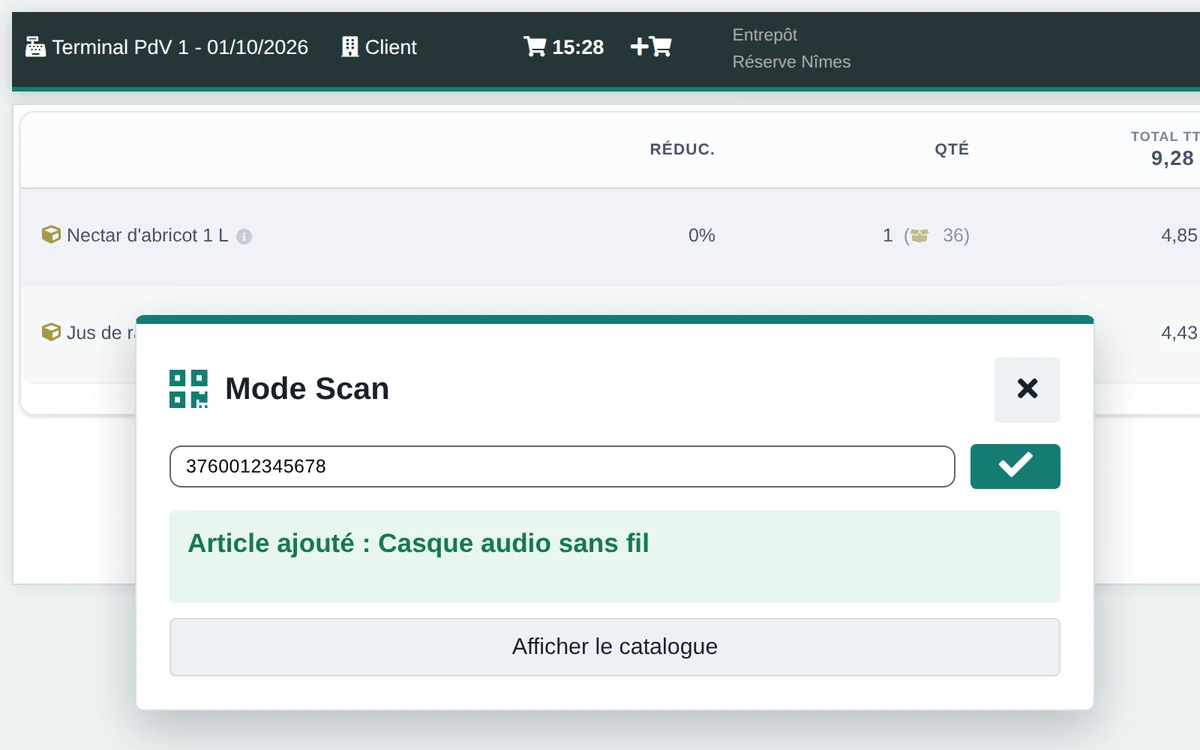
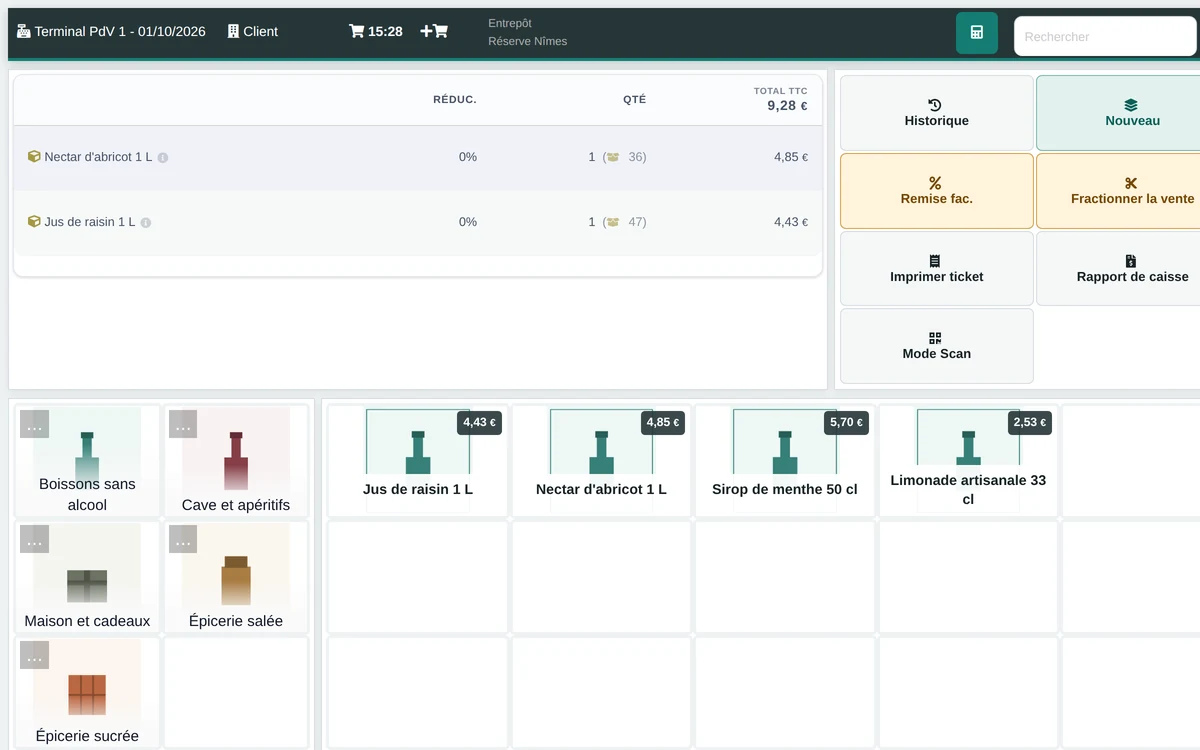
Staff scan the item or search the catalogue, take the payment, and the invoice is created. Scan mode stays on from one item to the next — handheld scanner, factory barcode or the QR code on your own label. The display has two densities and a foldable keypad, remembered for each till.
Stores, tills and staff
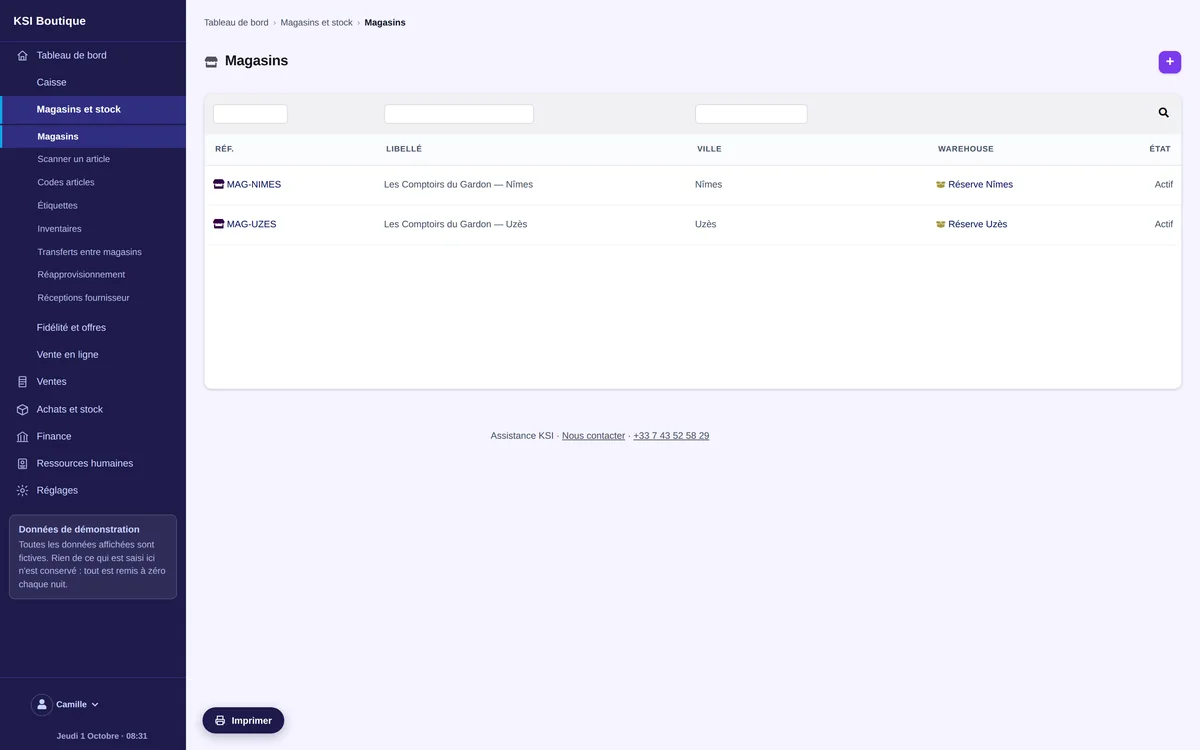
You declare your stores, the tills in each one and the staff who work there. Each person has a role — sales assistant, store manager or stock handler —, a default store, and the right to switch store or not. A till will not open for someone who is not assigned to it.
Catalogue, barcodes and labels
An item can carry several codes: internal code, EAN-8, EAN-13, UPC-A, ISBN-13, Code 128, QR code, supplier code. A duplicate, malformed or wrong-check-digit code is refused as you type. Labels print by sheet from the software, and the catalogue can also be loaded from a CSV file checked line by line.
Stock per store and transfers
Stock is tracked store by store. A transfer is prepared, scanned on departure, routed through a transit location — so it is never nowhere — and checked on arrival: received in full, or with a justified discrepancy and the shortfall left in transit. Batches and serial numbers follow the movement.
Supplier receipts by scanning
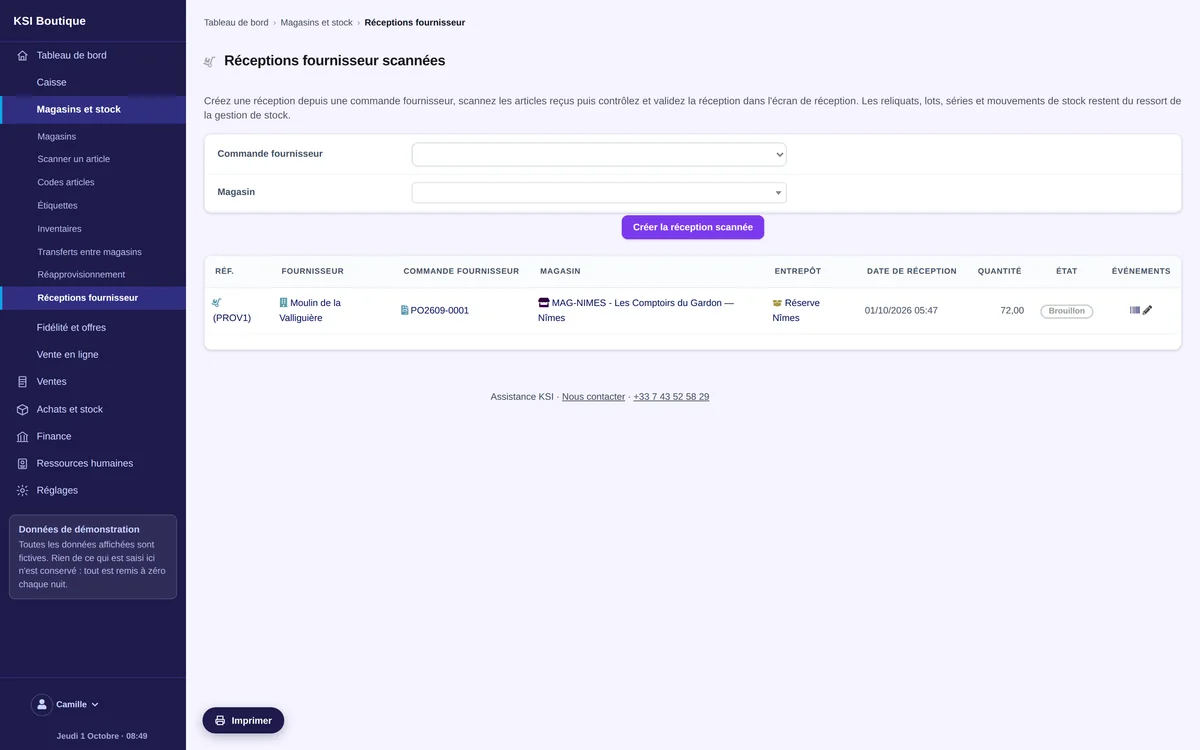
A dispatched supplier order is received with a handheld scanner, in one go or in several, with the outstanding quantity recalculated on every item. Batches, serial numbers and mandatory dates are entered as you go. Stock only moves when the receipt is confirmed.
Stocktakes and blind double counting
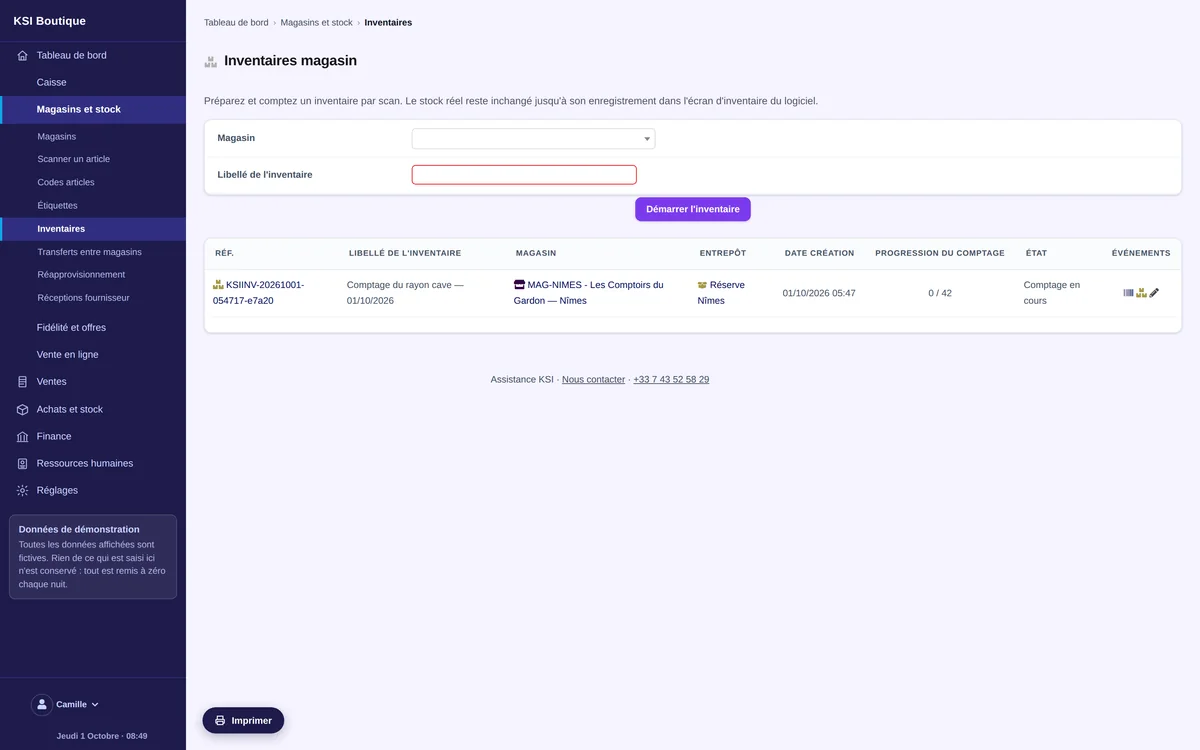
A stocktake is started per store from a guided assistant. Counting is done by barcode, either adding the quantities found or entering the actual quantity observed. For sensitive areas, two people count separately without seeing each other's result: discrepancies must be settled with a reason before being carried over.
Replenishment
The software works out the cover of every item per store from actual sales, real stock, what is in transit and what is already on order. It suggests quantities taking into account your supplier's minimum order, pack size and lead time. Every suggestion is approved, amended with a reason, or rejected — then supplier orders are created as drafts, never sent automatically.
Customer returns and credit notes
A return always starts from the invoice: the software only offers what is genuinely still returnable, and refuses a second return on the same line. It produces a credit note linked to the original invoice, without altering it. The item goes back into sellable stock, or into a set-aside location, whichever you decide.
Loyalty and gift cards
Points are earned on invoices actually paid, attached to the customer record, and convert into a discount. Those expiring soonest are used first. A gift card is issued from an invoice; its code is shown once and cannot be read again afterwards. Consents, points and cards keep a history that is added to, never erased.
Promotions
A promotion has dates, a store — or all of them —, and a target: items, item families, or a customer category. At the till, the software shows the discount it is about to apply before applying it, keeps the best eligible discount, and leaves a larger manual discount untouched.
Online orders
Orders from your online sales channels arrive as drafts, each with its source channel and external reference. The same message received twice does not create two orders. An inconsistent order is set aside and only resumes on a decision. The stock published to your website subtracts your safety threshold and whatever is already reserved from real stock.
Till closing, invoicing and tamper-proofing
Quotations, orders, invoices and payments are built in: accounting, VAT and electronic invoicing work with no extra setup. When a till is closed, the software compares the expected amount with the declared amount — cash, card and cheques separately — and seals an archive of that check, chained to the previous one and exportable. Entries are sealed and chained to one another: once recorded, an entry can no longer be altered, and every correction goes through a reversing entry.
Frequently asked questions
Can I see the software before committing?
Yes. The demo is open to everyone, with no sign-up, using a fictitious shop that is already populated: two stores, a catalogue, over-the-counter sales. It is reset every night.
Is my data kept separate from that of other shops?
Yes. Each shop has its own instance and its own database. Nothing is shared between operators.
Does the software handle several stores?
Yes. Stock is tracked store by store, a transfer goes through a transit location with a check on arrival, and a member of staff only works on the stores they are assigned to.
Do I need any particular hardware to scan?
A handheld scanner that behaves like a keyboard is enough: the code lands in the search field and scan mode stays on from one item to the next. The QR codes on your own labels are read in the same place, with no second tool.
Am I compliant for my takings?
Entries are sealed and chained: once recorded, an entry can no longer be modified, and any correction goes through a reversing entry. At every till closing, the gap between the expected and the declared amount is archived and sealed. Compliance is evidenced by the publisher's individual statement (attestation d'éditeur) — we issue yours, in your name.
Can I bring over my catalogue and my customer list?
Yes, data migration is part of the set-up. The catalogue can also be imported from a CSV file, checked line by line before anything is written.