What the software does
Intervention sheets and numbering
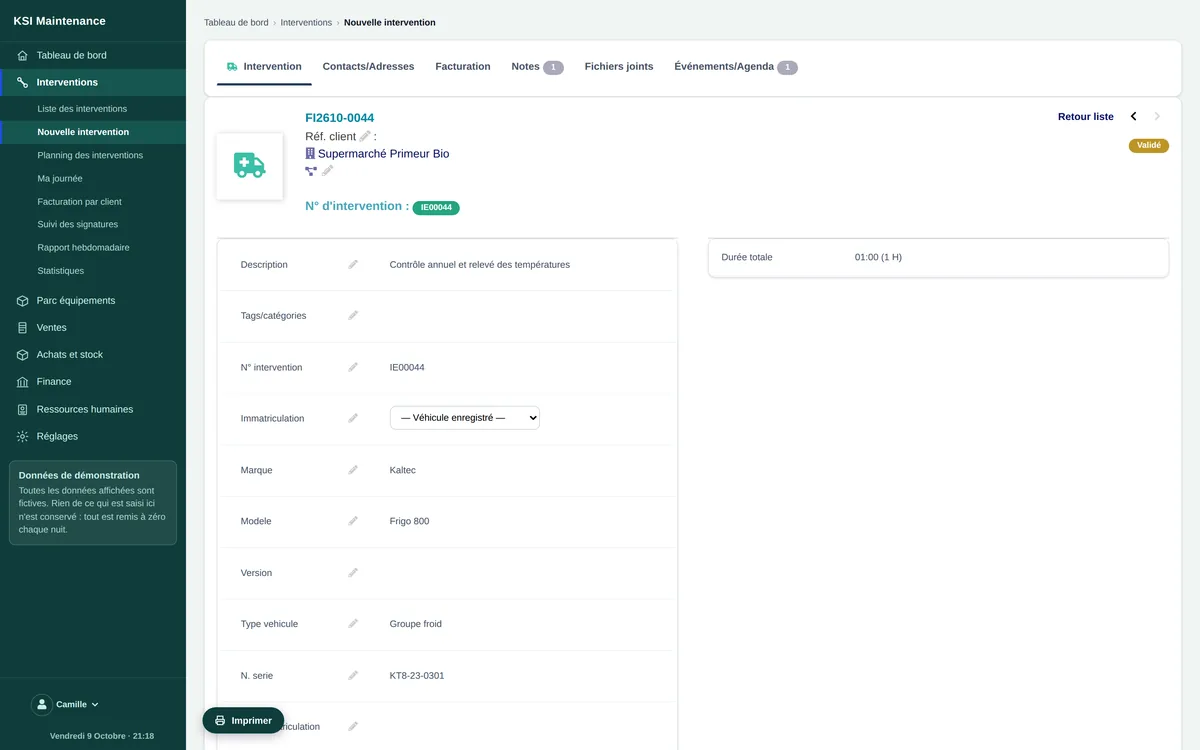
An intervention is a sheet: the customer, the equipment concerned, what has to be done, the technician, the planned slot. It receives a unique intervention number as soon as it is created and goes through statuses you follow on screen — draft, validated, invoiced, closed. The description is completed as the intervention goes on, and the sheet prints to PDF.
Technician schedule
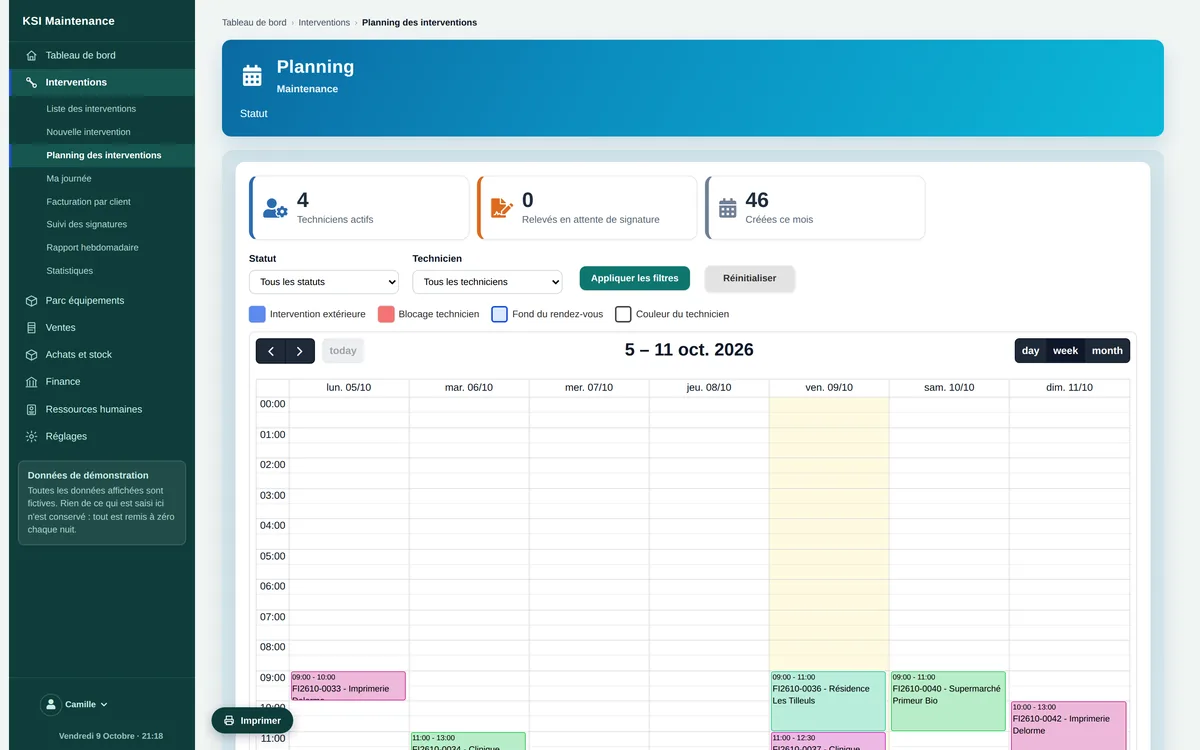
The schedule reads by day or by week, for the whole team or for one technician. Each intervention appears with its start and end slot, its customer and its equipment; a status filter shows what remains to be done. Technicians’ declared absences are visible there.
Your customers’ equipment fleet
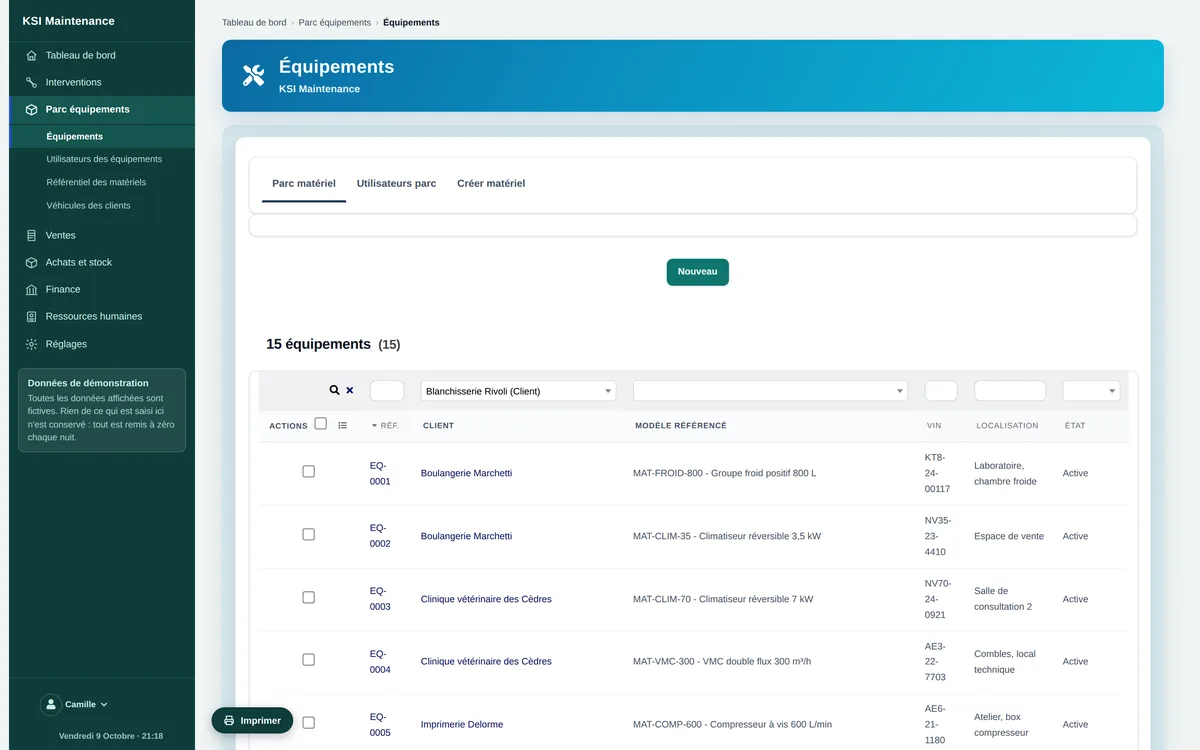
Each piece of equipment has its sheet, attached to its owner: reference, material from the reference list, serial number, location, purchase date and warranty, maintenance contract and next visit, the person who uses it. Its history lists every intervention made on it, and an intervention can be created from the equipment sheet.
Reference list of materials
The materials you service are described once — brand, model, type, item code — and each customer’s equipment is linked to them. Brands, models, types and categories are dictionaries you maintain yourself.
Technicians, accounts and availability
A technician has a record and, if they enter data themselves, an account with only the rights needed: read and create interventions, see their customers, open their space. Their absences are declared and appear in the schedule. The native human resources handle the rest.
The technician’s space on a tablet
Logged in on a tablet or phone, a technician lands directly on “My day”: today’s interventions, the upcoming ones, those they had signed, their hours for the week. Every screen is made for the finger, and they only see what concerns them.
Labour, parts and travel
On the sheet, the technician adds lines: labour at the hourly rate of your intervention-time service, parts taken from the catalogue, travel with its starting point. VAT follows the customer’s. Travel has a price but is never invoiced by mistake: invoicing only takes the billable lines.
Time spent and actual hours
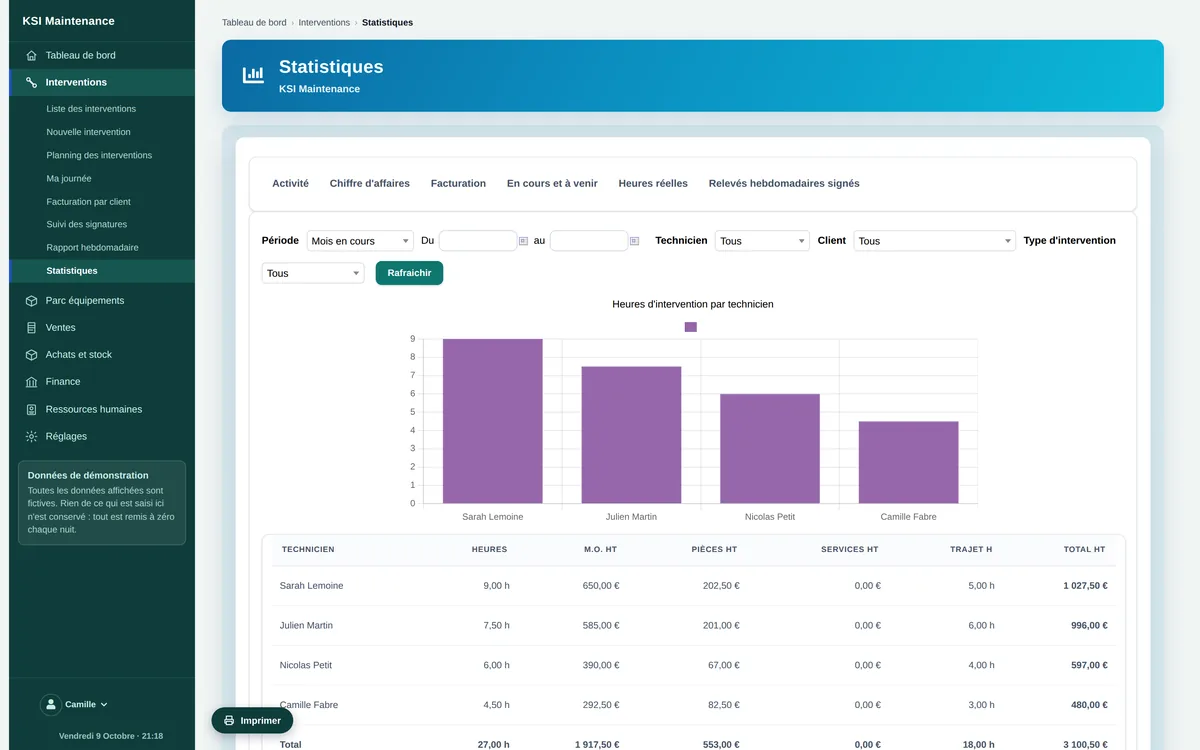
Each visit is entered with its date, arrival time, departure time and duration. These times make up the “actual hours” in the statistics, technician by technician, and feed the labour line in one click.
Customer signature on site
At the end of the intervention, the customer signs on the technician’s screen, or on their own device by scanning a code shown by the sheet. The signature is time-stamped, attached to the sheet, and signature tracking shows you what is signed and what is not yet.
Signed weekly reports
Every week, a report per technician gathers their interventions and hours; it is signed and kept. The statistics keep count of them.
Invoicing per customer and tamper-proof records
Interventions carried out for the same customer are invoiced in a single invoice: each line carries the reference of the sheet it comes from, the invoice stays linked to the interventions, and a sheet already invoiced cannot be invoiced twice. Quotes, invoices and payments are native. Entries are sealed and chained together: once recorded, an entry can no longer be changed, and any correction goes through a reverse operation.
Automatic due-date reminders
The due date belongs to the equipment: next servicing visit, periodic inspection. At the steps you set — for example 60, 30 and 7 days before — a reminder e-mail goes out to the customer, with the template, sender and sending hours of your choice. The intervention sheet flags a missing due date, and the statistics list the ones approaching.
Statistics
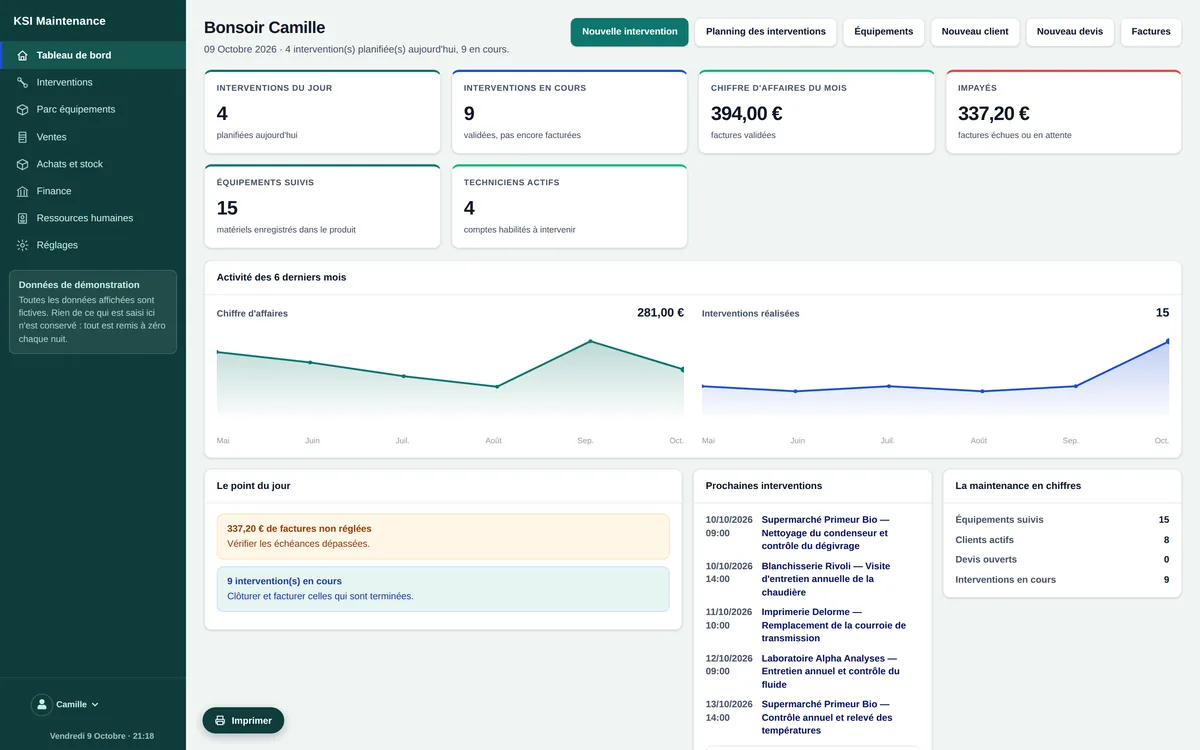
Activity by period, revenue and labour, what is invoiced and what remains to invoice, what is in progress and upcoming, actual hours per technician, signed reports: six screens, over the period you choose.
Frequently asked questions
Can I see the software before committing?
Yes. The demo is open to everyone, with no sign-up, with a fictitious company already filled in: eight customers, fifteen pieces of equipment, four technicians, interventions over six months and the current week, invoices. It is reset every night.
Is my data kept separate from other companies’?
Yes. Each company has its own instance and its own database. Nothing is shared between customers.
Can my technicians work on a tablet?
Yes. A logged-in technician lands on “My day”: their interventions, hours and signatures, on a screen made for the finger. They enter time and parts on site, and have the customer sign on the screen or on the customer’s device.
What is the customer’s signature worth?
It is time-stamped, attached to the intervention sheet and kept in a signature log you can consult. The technician’s weekly report is signed the same way.
Does the software handle several technicians and several teams?
Yes. Each technician has a record, an account, absences and a schedule; the schedule reads for the whole team or per technician, and the statistics read technician by technician.
Can I bring over my equipment fleet and my customers?
Yes, the migration is part of the setup: customers, equipment with serial numbers and contracts, reference list of materials. We assess it with you before announcing a date.