What the software actually does
The repair order, from start to finish
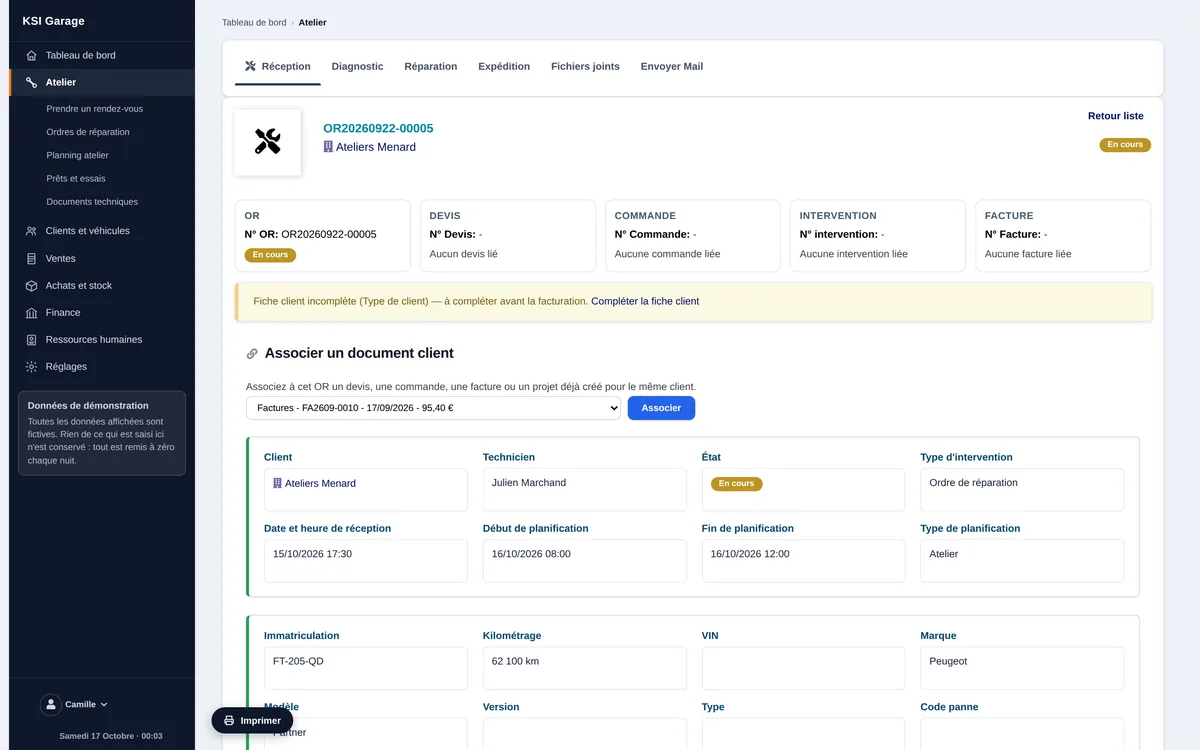
The repair order is the heart of the software. It carries the vehicle, the customer, the assigned technician, the workshop slot, the parts and the labour. It moves through clear stages — check-in, diagnosis, repair, documents, signature, closing — and turns into an invoice with nothing to key in twice: what was done to the vehicle is exactly what gets invoiced. A closed order can be reopened if you need to go back to it.
Appointments and workshop planning
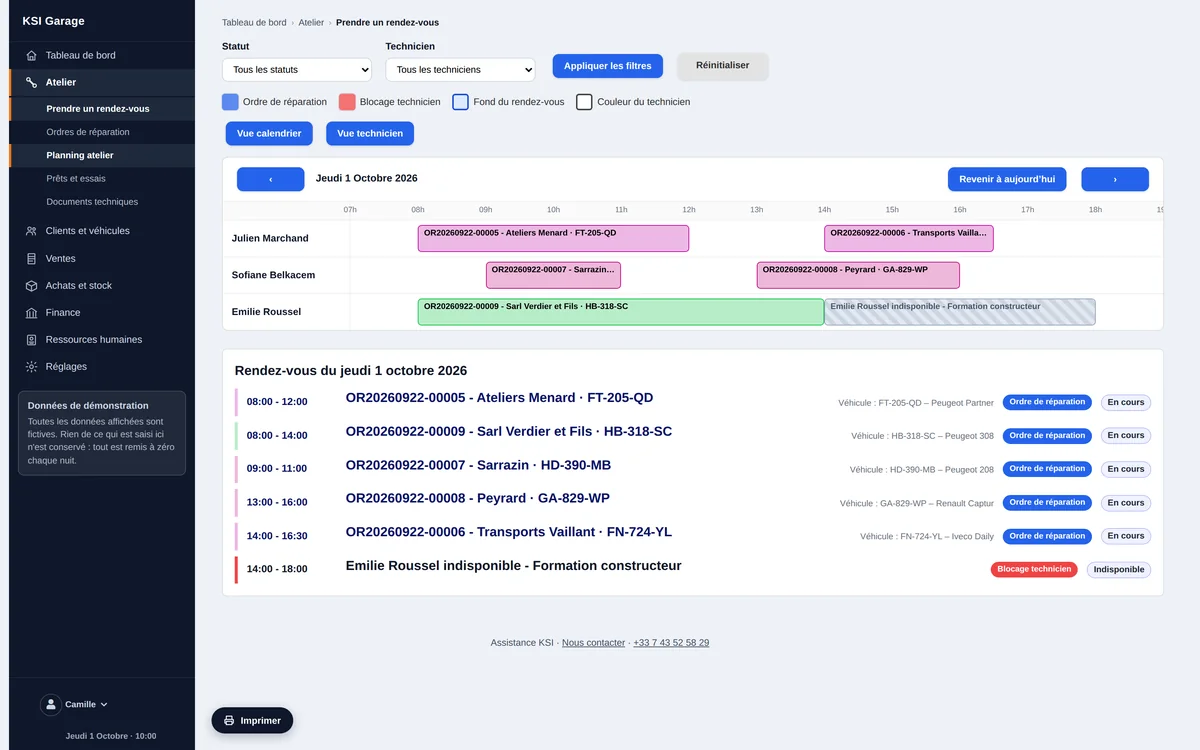
Appointments are booked from the technician view: you see who is free before choosing the slot, and the file opened there becomes the repair order when the vehicle arrives. The planning board shows the workshop load, moves by drag and drop, and separates workshop jobs, on-site call-outs and returns to the supplier.
Vehicle check-in: the condition, in writing
At check-in you record the customer, the vehicle, the serial number, the warranty and the reported symptoms. Accessories handed over with the vehicle are ticked off, photos are taken from a phone or tablet and stay attached to the file. The check-in slip prints with the signatory’s name — your evidence of the vehicle’s condition on arrival, the one that avoids an argument at hand-back.
Diagnosis and repair
The diagnosis keeps what the customer will read apart from the workshop’s internal notes: two distinct areas, never mixed. The repair lists the work carried out and the parts fitted, with quantities. The vehicle’s technical details are updated along the way — mileage, changes — without reopening its record.
Customer signature and traceability
The signature records both the hand-over and the return. It is stored with its date and its own log, available should anything be disputed. The follow-up tab shows the whole history of the file — creation, quotation, order, invoice, job — in the order things happened.
Vehicle fleet and customer history
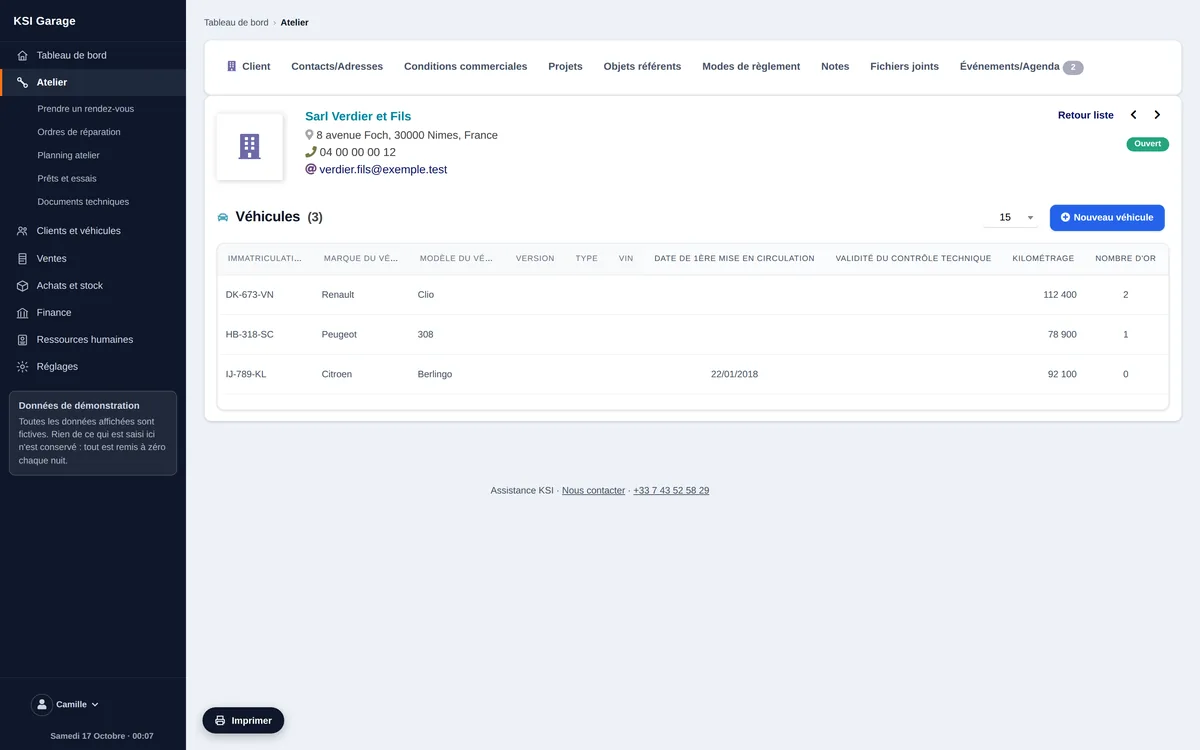
Every vehicle has its own record: registration, make, model, version, mileage, first registration date, owner, warranty. A registration number is not required — a serial number is enough for a motorbike, a quad, a bicycle or a machine. The service history stays attached to the vehicle, and a vehicle can contain others to describe a whole unit, a tractor and its trailer for instance.
Courtesy vehicles and test drives
Your courtesy fleet is declared once. A board tells you what is available and what is out, right now. Loans and test drives are two separate flows, each with its own printable, signed form: a customer test-driving a vehicle does not sign the same document as one borrowing a car while theirs is being repaired.
Technical documentation
Access to your manufacturers’ technical documentation is kept in one place, available from the workshop floor. The technician opens the right brand’s documentation without leaving the software or hunting through bookmarks.
Technicians and workload
Every job is assigned to a named person. The technician view shows availability before a slot is booked, and each person’s schedule once it is. You can see at once what is ready to hand back and what is running late.
Parts, labour and suppliers
The catalogue of parts and labour feeds quotations and repair orders. Supplier orders, supplier invoices and stock live in the same software: a part ordered for a file stays attached to that file, and a return to the supplier is a scheduling type in its own right.
Quotations, invoices and payments
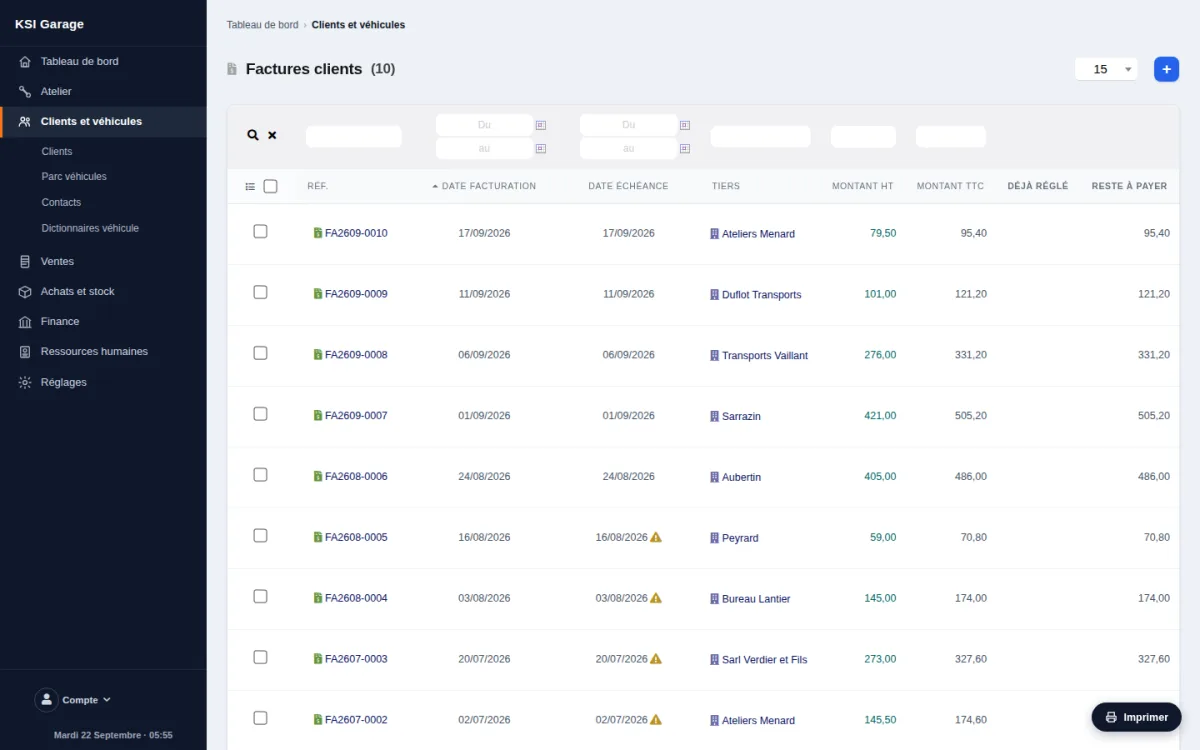
A quotation is produced in a few clicks from the catalogue, turns into a repair order, then into an invoice. Deposits, payments, reminders and bank reconciliation are built in. Entries are sealed and chained to one another: once recorded, an invoice can no longer be altered, and every correction goes through a reversing entry.
Electronic invoicing
French law requires companies to receive electronic invoices from 2026, then to issue them — 2027 for small and medium businesses. The software supports these exchanges: receiving and issuing invoices in the Factur-X format, with lifecycle tracking. Included from the Pro plan, available as a 9 EUR/month option on the Essential plan.
Frequently asked questions
Does the software handle repair orders?
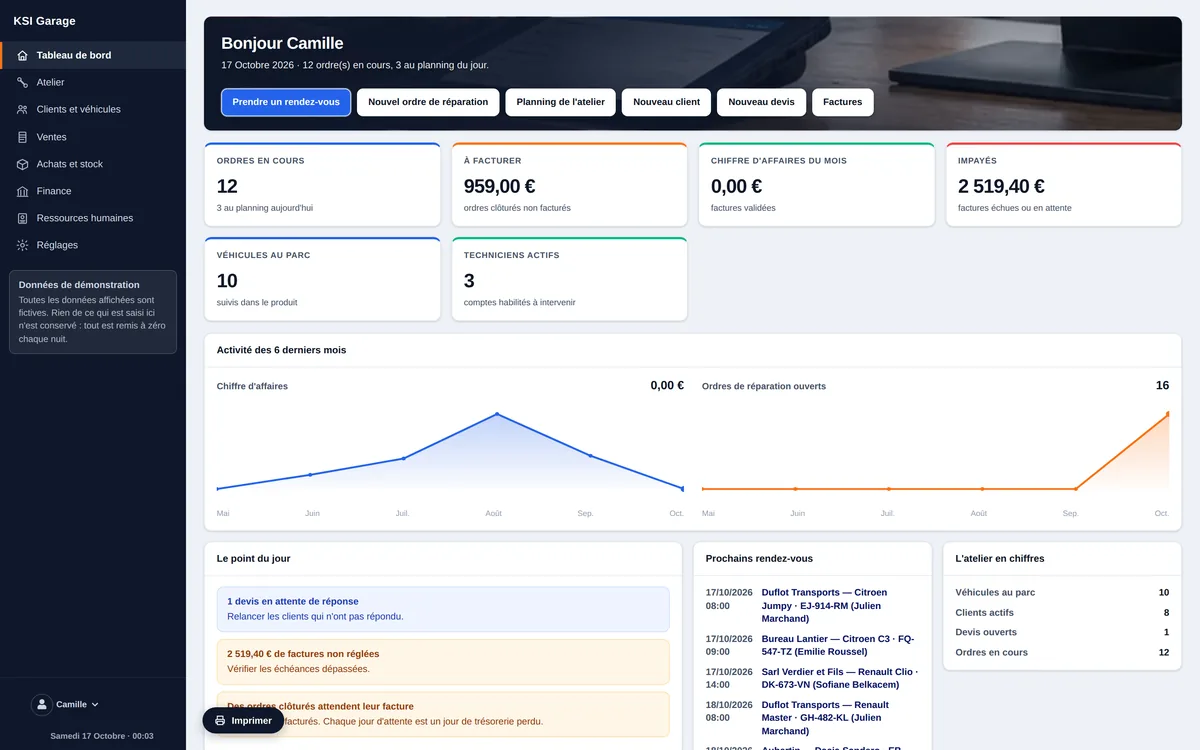
Yes. The repair order is the central object: vehicle, registration, customer, technician, scheduling slot, parts and services, then conversion into an invoice with no re-keying.
Do I need to install anything or run a server?
No. The software is hosted in Switzerland and fully managed: backups, maintenance and updates are handled by KSI. You use it from a browser, on a computer or a tablet.
Is it ready for mandatory e-invoicing?
Yes: the software receives and issues electronic invoices in the Factur-X format and tracks their lifecycle. Transmission goes through your approved platform. E-invoicing is included from the Pro plan onward, and available as an option at €9 excl. VAT/month on the Essential plan.
Does it handle motorcycles and two-wheelers?
Yes. Vehicle tracking does not depend on the type: a motorcycle, a scooter or a quad is handled like a car, with the same record and the same history.
How much does it cost?
From €49 excl. VAT/month for the Essential plan, €79 excl. VAT/month for Pro and €119 excl. VAT/month for Premium. Support is a separate subscription from €19 excl. VAT/month, and assistance time can also be bought by the ticket.
Can I try it before committing?
Yes. A demo is freely accessible online, with no sign-up. You can also write to us so that we show you the software applied to your own situation.
Can I bring over my customers, vehicles and invoices?
Yes, data migration is part of onboarding: customers, vehicles and history are transferred with you, so you start with no re-entry.