Workshop software

The management software built for a repair workshop

KSI Atelier brings together in a single tool equipment intake, technician scheduling, diagnosis, parts, warranties and invoicing. Hosted and managed: nothing to install, no technical side to look after.

KSI Atelier at a glance

  • KSI Atelier is online management software for repair workshops and after-sales services: independent multi-trade repairers, brand-approved after-sales centres, and workshops running a loan and demonstration fleet.
  • It brings together equipment intake, technician scheduling, diagnosis and repair work, parts used, warranties, right through to quotation and invoicing.
  • It records what a dispute always comes back to: photos of the item’s condition on arrival, the quotation accepted by the customer, a time-stamped signature on collection — each one accessible through a link specific to that job, never through an access open to all your data.
  • Hosted in Switzerland, with your own instance and your own database: daily backups, maintenance and updates included. Nothing to install, nothing to administer.
  • The online demonstration is open to everyone without signing up (a fully populated fictional workshop, reset every night); from €49 excl. VAT per month (Essentiel; Pro €79, Premium €119), with no minimum term.

Which workshops it is for

KSI Atelier is aimed at workshops that want a complete tool without an in-house IT department.

Independent workshop

Appliances, power tools, professional equipment: several equipment families, a single workshop to track them all.

Approved after-sales service

An approved repairer for a brand or a retail chain: manufacturer warranties, supplier returns and referenced parts tracked job by job.

Workshop with a loan fleet

A customer who leaves with replacement equipment while their own is repaired: the loan and demonstration fleet is tracked like the rest of the workshop.

What the software does

Intake and scheduling

Customer, equipment and reported fault on a single record. The schedule shows each technician’s workload before you pick a slot, and flags urgent or overdue jobs.

Diagnosis and repair

Diagnosis, parts used and time spent are recorded as the repair progresses. An alert warns when a stocked part drops below its threshold.

Equipment and loan fleet

Every item taken in is logged, with its repair history. Replacement equipment lent out during a repair is tracked like the rest of the fleet.

Warranties

A warranty is tracked over time: duration, expiry date, what it covers. The dashboard flags those coming to an end before they expire.

Photos, quotation and customer signature

Photos of the item’s condition on arrival, a quotation accepted before work begins, a time-stamped signature on collection — each document accessible through a link specific to that job, never through an access open to all your data.

Technicians

Each technician has their own schedule and workload, visible from the moment a job comes in. A reassigned job moves with a single action.

Dashboard and deadlines

Urgent or overdue jobs, repaired equipment not yet collected, average turnaround time, satisfaction of customers who answered the survey: the state of the workshop without opening every job.

Invoicing and tamper-proofing

Quotations, orders, deposits and invoices are built in: accounting, VAT and electronic invoicing work with no extra setup. Entries are sealed and chained to one another — once recorded, an entry can no longer be altered, and every correction goes through a reversing entry.

The software in pictures

A few screens from the software, exactly as you will see them in the demo.

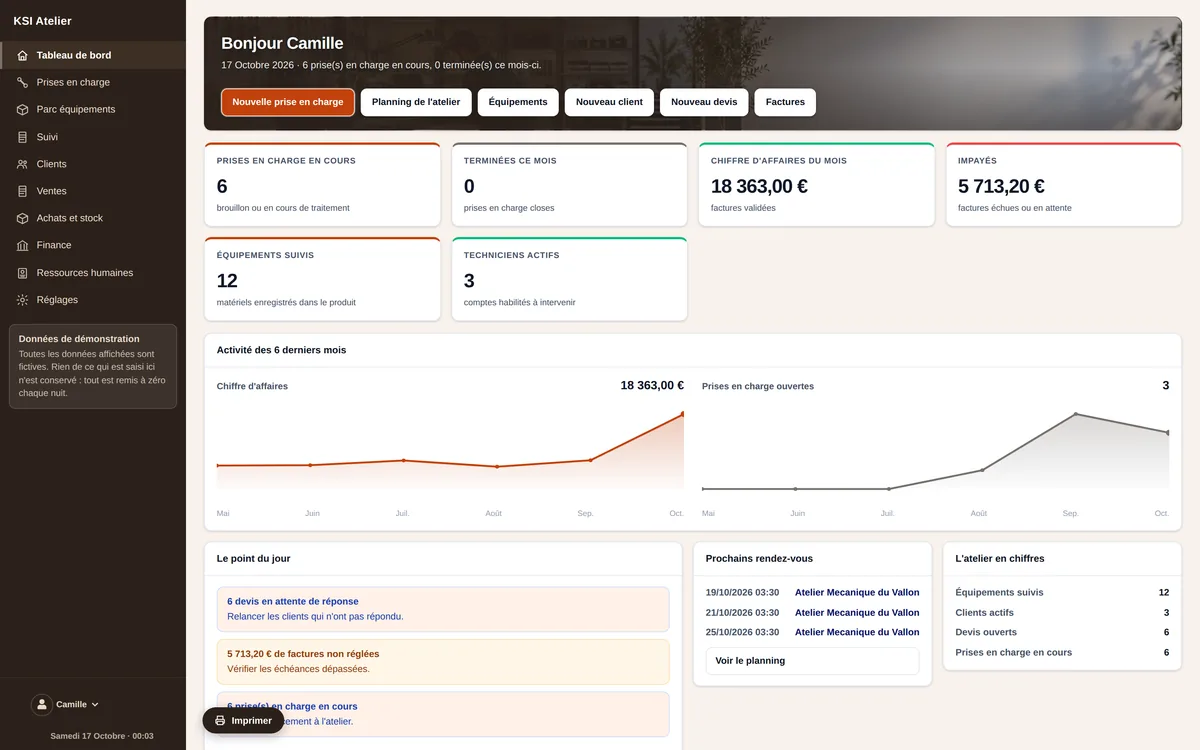
Dashboard: jobs in progress, urgent, overdue, active technicians.
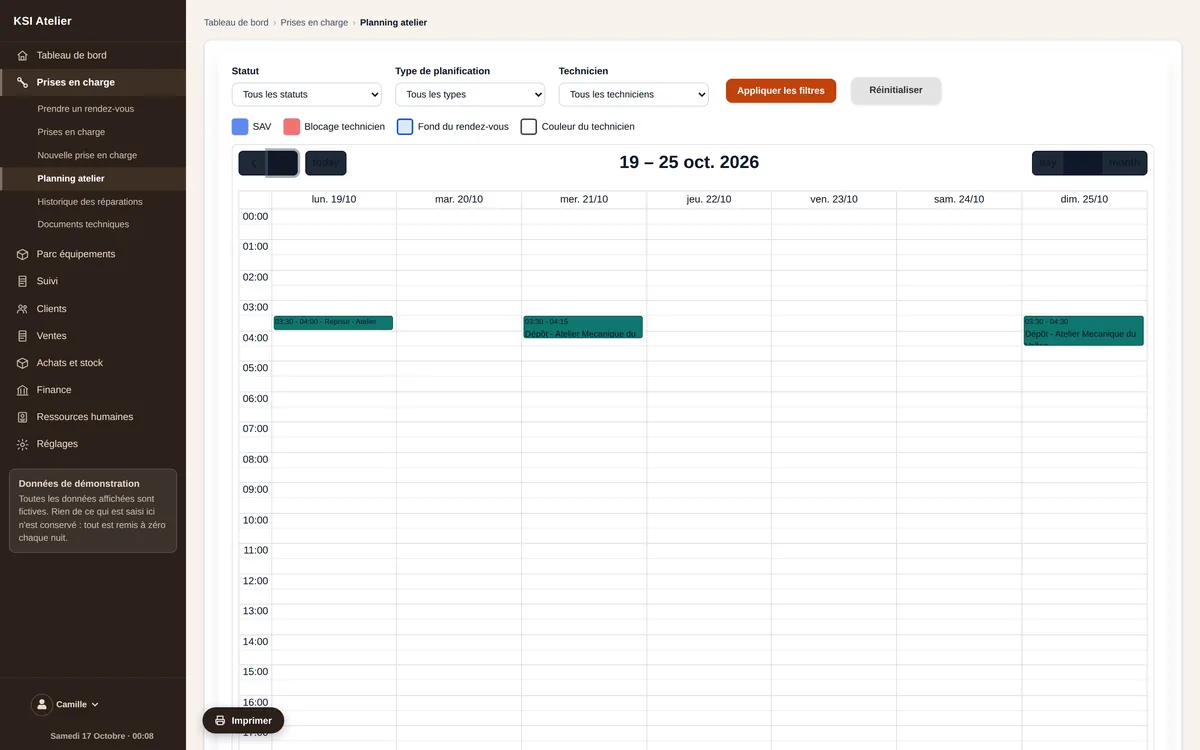
Workshop schedule: each technician’s workload, day by day.
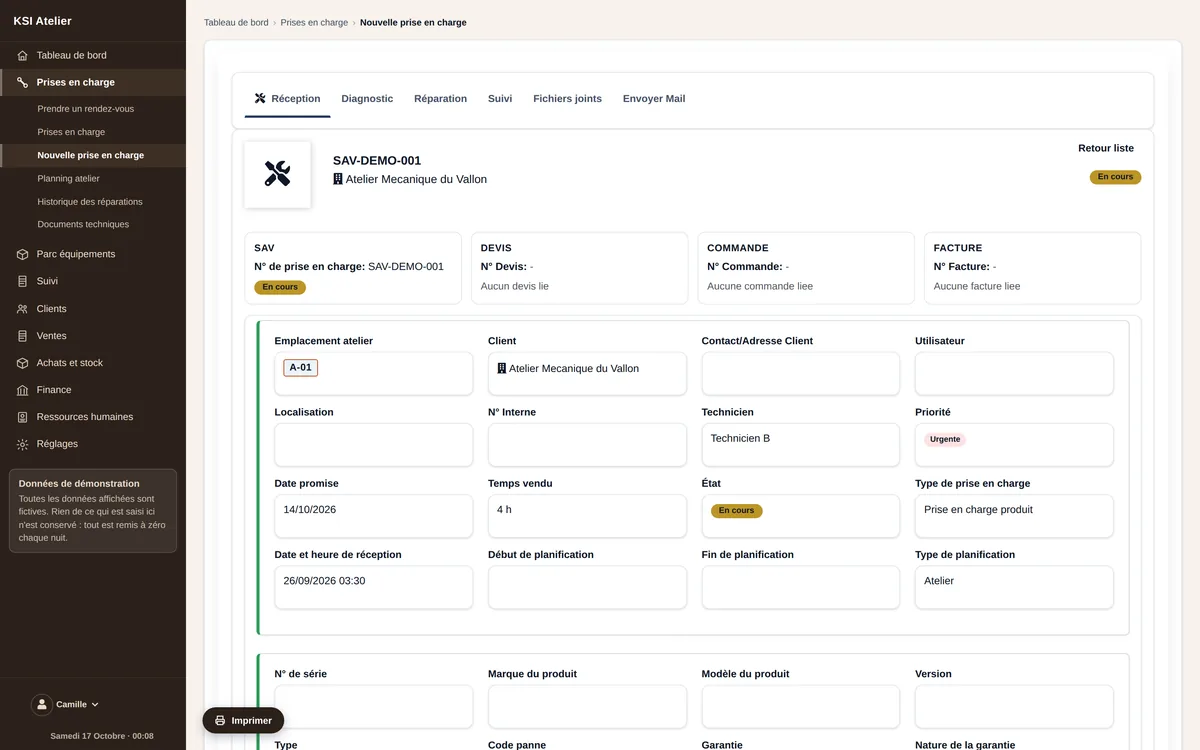
An intake record: customer, equipment, technician and priority, from check-in to invoice.
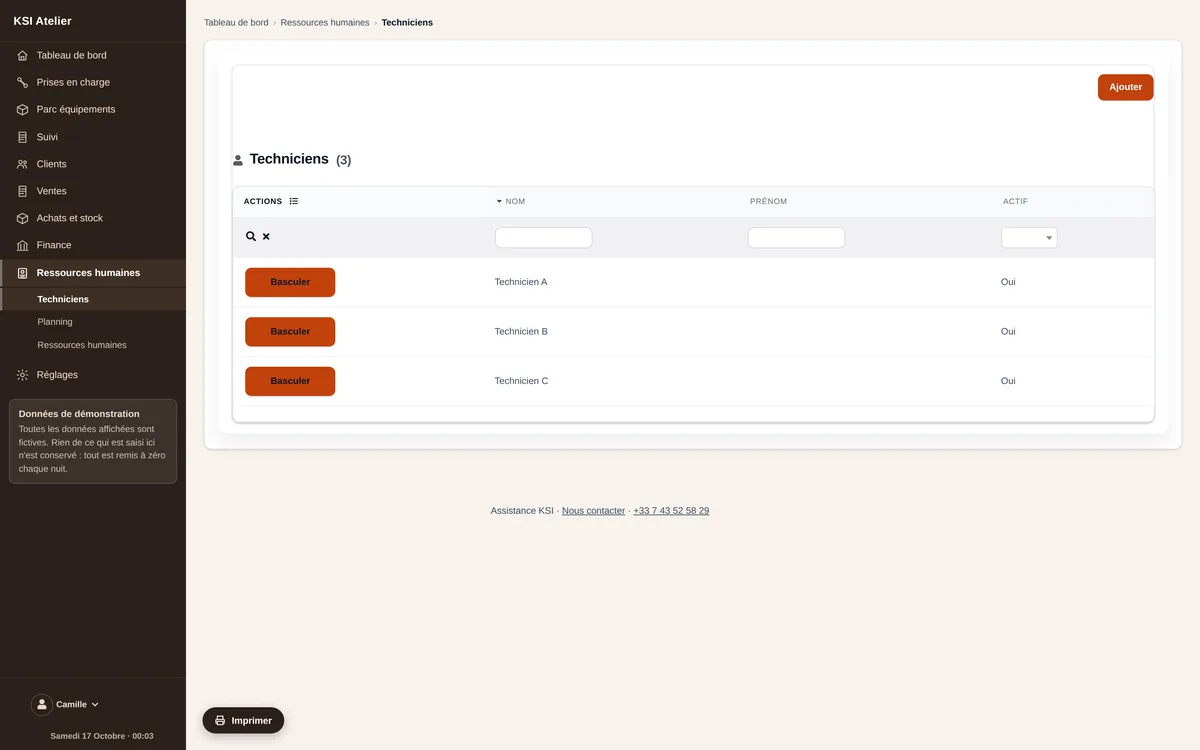
The workshop’s technicians, each with their status.

What is included

Hosting, daily backups and updates: we take care of them.

Your own instance, with your data and your settings, never mixed with anyone else’s.

A compliance statement issued in your name for your takings.

Help getting started; after that, support is a separate subscription — you only pay for it if you use it.

No fixed-term commitment. Your data remains yours and can be exported.

Software in service, not a promise

KSI Atelier works today: the demonstration is open to everyone, filled with a complete workshop, and it is exactly the software you receive. It covers the whole cycle — from intake to invoicing, through diagnosis and the customer’s signature. Your workshop gets its own instance and its own database, separate from every other. Hosting, daily backups, maintenance and updates are on us: you install nothing and you administer nothing. It is published by KSI, who have supported professionals on their management tools for years — and you talk directly to the people who write the software.

Frequently asked questions

Can I try it before committing?

Yes. The demo is open to everyone, with no sign-up, using a fictitious workshop that is already populated. It is reset every night.

Is my data kept separate from that of other workshops?

Yes. Each workshop has its own instance and its own database. Nothing is shared between operators.

Does the software handle a loan equipment fleet?

Yes: equipment lent out during a repair is tracked like any other item in the workshop.

Does the customer’s signature have evidential value?

It is time-stamped and attached to the job, accessible through a link specific to that job — never through a public access open to all your data.

Am I compliant for my takings?

Entries are sealed and chained: once recorded, an entry can no longer be modified, and any correction goes through a reversing entry. Compliance is evidenced by the publisher’s individual statement (attestation d’éditeur) — we issue yours, in your name.

Can I bring over my current jobs?

Yes, data migration is part of the set-up: customers, equipment and jobs in progress are transferred with you.

See the software for real

The demo is open, filled with a fictitious workshop. Open it and click anywhere: you cannot break anything.