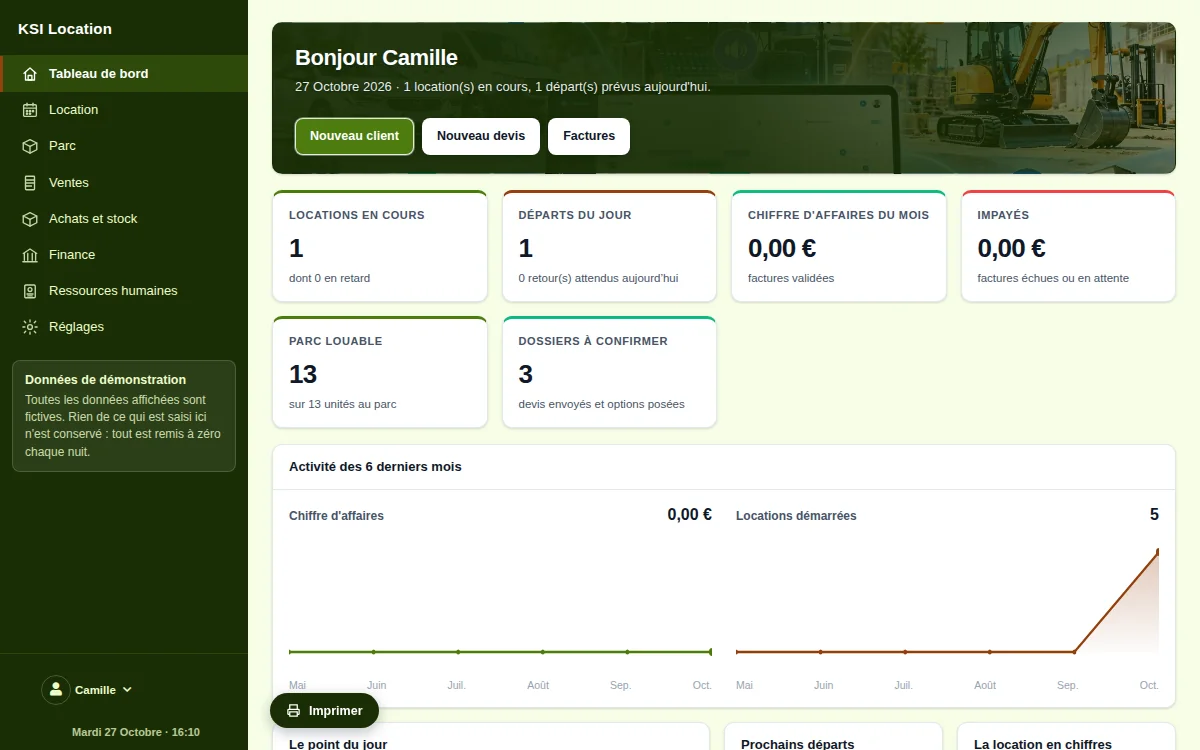
What the software does
The fleet, unit by unit
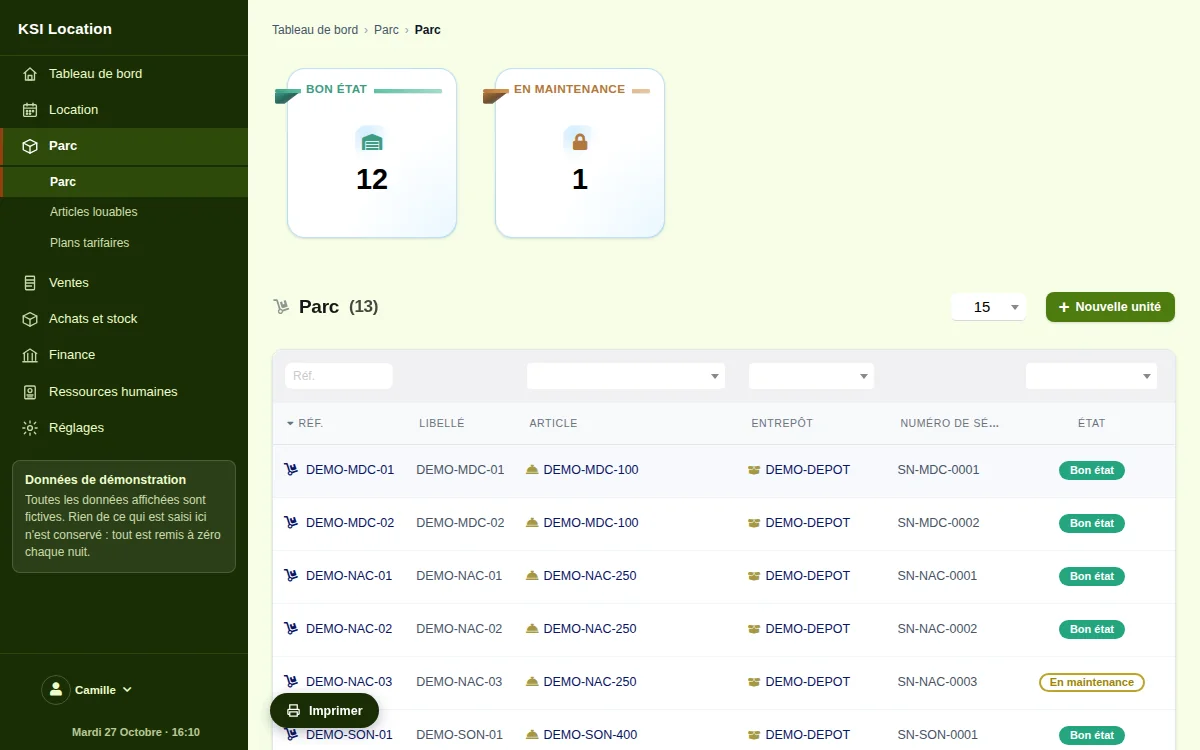
A rentable item may exist as one unit or as a hundred. Each unit has its reference, serial number, stock location, condition (good, to check, under repair, out of service) and its full history. Serial numbers rely on the platform’s native lots: you do not keep two inventories.
Availability, calculated rather than declared
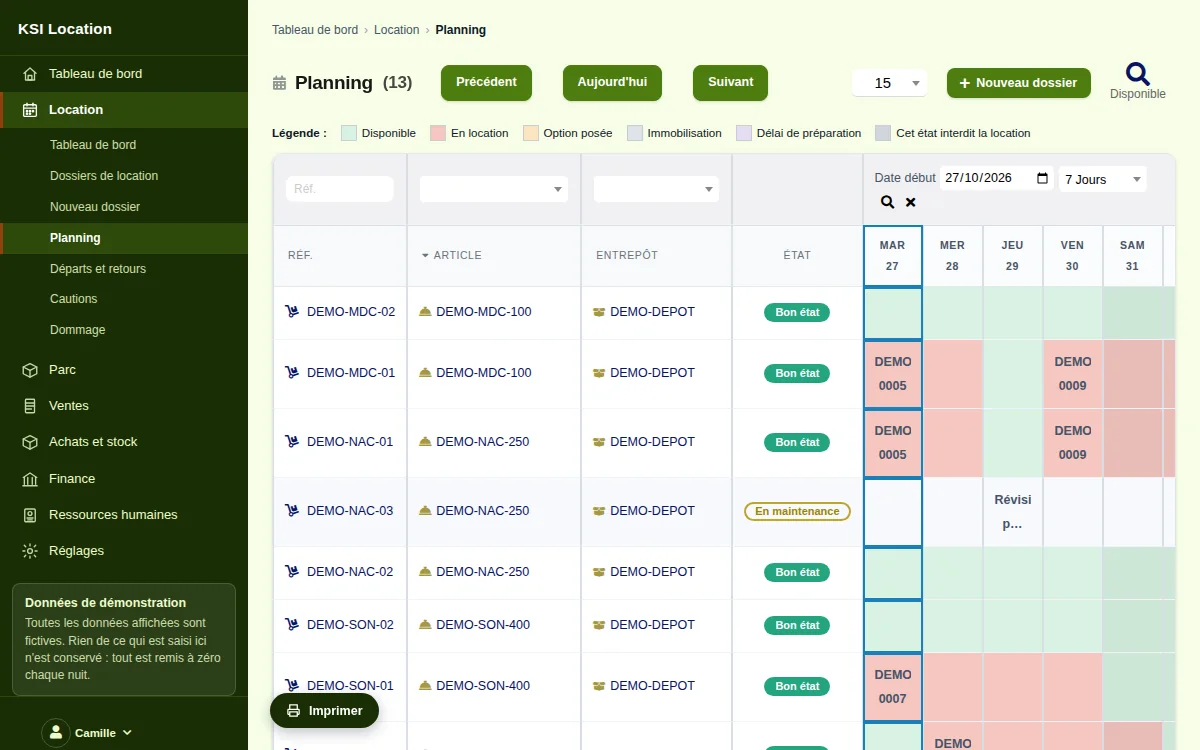
The software does not ask you whether an item is free: it works it out. Current files, holds in place, maintenance blocks and the preparation buffers before and after each rental are deducted from the fleet. The availability screen answers for a given period, and a file refuses a unit already taken.
Rentable items and rate plans
A catalogue product becomes rentable with a single tick. Its rate plan states the price per hour, half-day, day, week and month, with tapering tiers and seasons. The file applies the best combination for the requested duration, and shows you why.
The temporary hold, then the file
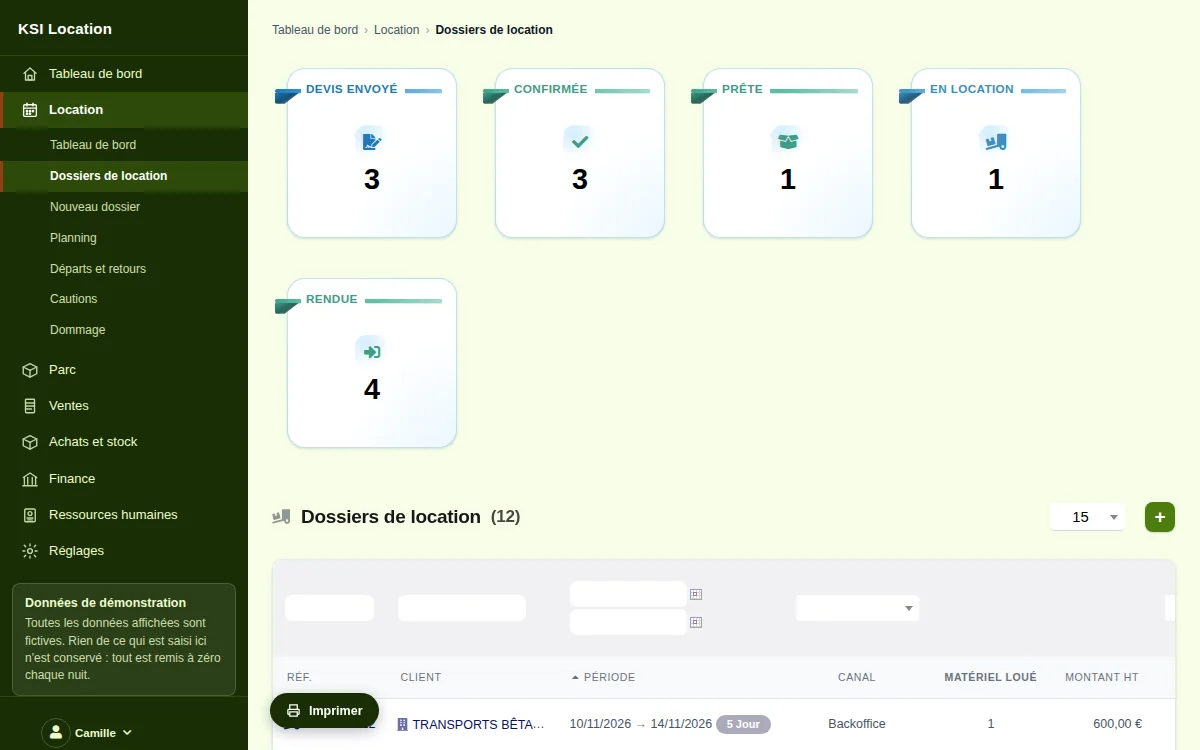
A customer hesitates: you place a hold that reserves the item for a defined time and expires on its own if nothing confirms it. Once confirmed it becomes a rental file with its lines, dates, customer and quote. Nothing stays blocked by mistake for three weeks.
The counter and scanning
The counter screen runs through the departure steps: scan the unit’s barcode, it lands on the file, check it, print it, have it signed. The same screen handles the return. It is designed to be used standing up, at a warehouse terminal or on a tablet.
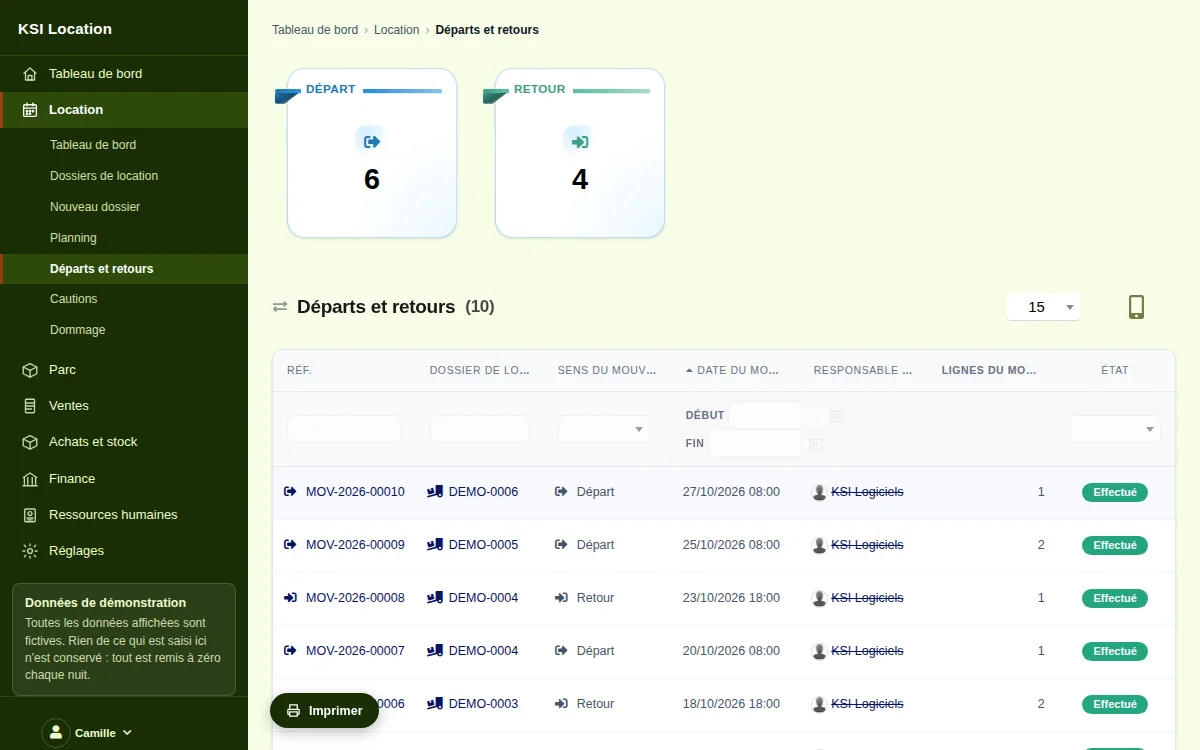
Departures and returns: the contradictory condition report
On departure as on return, the condition report records the meter, the fuel, the accessories, the condition of each unit and the photographs. The customer signs on screen; the signed document is kept and time-stamped. A partial return is supported: what comes back is returned, the rest stays out.
The deposit
Card imprint, cheque, cash or transfer: the deposit is recorded on the file with its amount and method, tracked on a dedicated screen, and released on return — in full, or reduced by justified deductions. No deposit is forgotten: dormant ones are listed.
Damages, deductions and recharging
Damage found on return opens a record linked to the unit and the file: description, photographs, costing, excess share, customer share. The deduction is taken from the deposit or recharged, and the unit moves to repair — therefore out of availability, with no need to remember.
Maintenance and blocks
A unit can be blocked for servicing, statutory inspection or repair, over a period or with no end date. During that time it disappears from availability and no file can take it. Each unit’s history keeps a record of its blocks.
Deliveries, collections and rounds
When you deliver, departures and collections are grouped into rounds by vehicle and half-day, with their addresses, time slots and run sheet. The driver ticks off what is delivered and what is collected; the file updates itself.
Sub-rental
When your fleet is not enough, equipment hired from a peer is recorded as such: supplier, cost, period. It serves the customer file without being confused with your own fleet, and the real margin on the job stays legible.
Public mini-site and channels
When you enable it, a public page shows your rentable catalogue and its availability, and collects quote requests. A file keeps the channel it came through — counter, telephone, website, online shop — so you know what brings you your customers.
A sealed journal, and native documents
Every action on a file is written into a chained event journal: who, when, what. Quotes, orders, deposit invoices and final invoices are native platform documents, numbered and tamper-proof, compatible with electronic invoicing.
Frequently asked questions
Can I see the software before committing?
Yes. The demo is open to everyone, with no sign-up, using a fictitious branch already populated: a fleet of units with their serial numbers, current and upcoming files, deposits, condition reports and invoices. Everything is reset every night.
How does the software know an item is available?
It calculates it, period by period: it removes from the fleet the units already committed to a file, those blocked by a current hold, those held for maintenance, and it accounts for the preparation buffers before and after each rental.
Can I track my equipment one by one, with serial numbers?
Yes, that is the very principle of the fleet: each unit is a distinct object with its reference, serial number, condition, history and next service. Serial numbers rely on the platform’s native lots.
Can condition reports be signed by the customer?
Yes. Departure and return condition reports are filled in on screen, photographs included, and the customer signs with a finger on a tablet. The signed document is kept, time-stamped and attached to the file.
And if equipment comes back damaged?
You open a damage record from the return: description, photographs, costing, excess share. The deduction is taken from the deposit or recharged, and the unit automatically moves to repair, therefore out of availability.
Can I bring over my fleet, my rates and my customers?
Yes, migration is part of go-live: rentable items and rate plans, units and serial numbers, customers, upcoming files. We assess it with you before announcing a date.